Pay Setup in Full
Due at enrollment$515$500 setup + $15 for the first month of hosting
- Platform access
- $50 / week
Your setup is paid in full. Weekly platform billing starts when your store launches.

Storefront & Billing for Streaming Resellers
Built by a streaming reseller. Sell plans on your domain, put your name on every invoice, and manage renewals and customer support from one panel.
Compare Ultimate Apps with WHMCS and IPTVbp
How It Works
Choose your setup and hosting schedules. We confirm your domain, store details, and launch date with you.
Review EnrollmentPut your brand on the storefront. Choose screen counts and retail prices, then match each plan to the service it delivers.
See the Product ScreenShare your domain. Follow your customer from signup to invoice, then find the same order in your reseller panel.
Follow the Demo OrderNorthline Product Tour
Choose your store name, branding, plans, and retail prices. Customers visit your domain, compare screen options, and order directly from you.

Inside the Reseller Panel
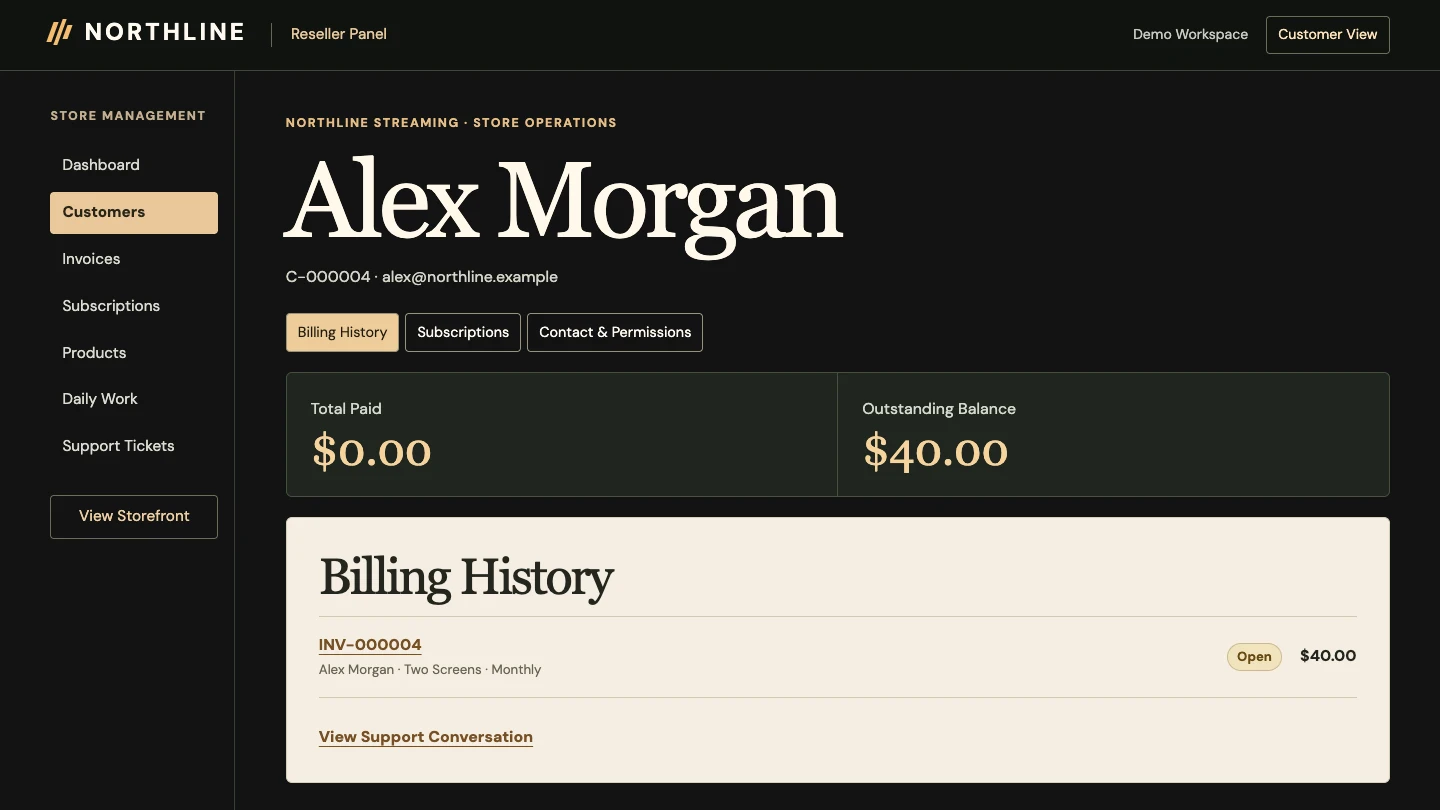
Look up a customer number, see the unpaid balance, and check contact permissions before reaching out.
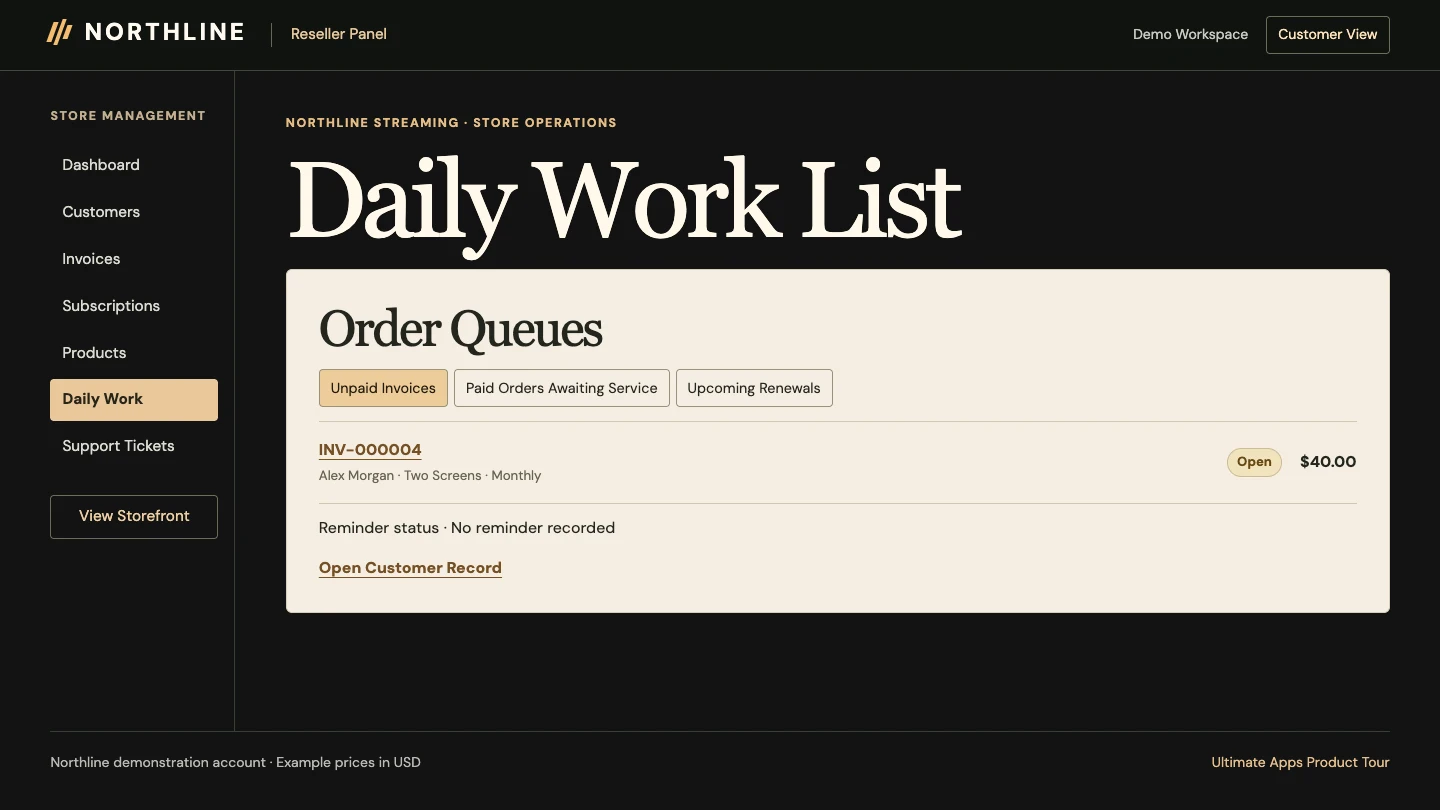
Find unpaid invoices, upcoming renewals, and paid orders still waiting for service.
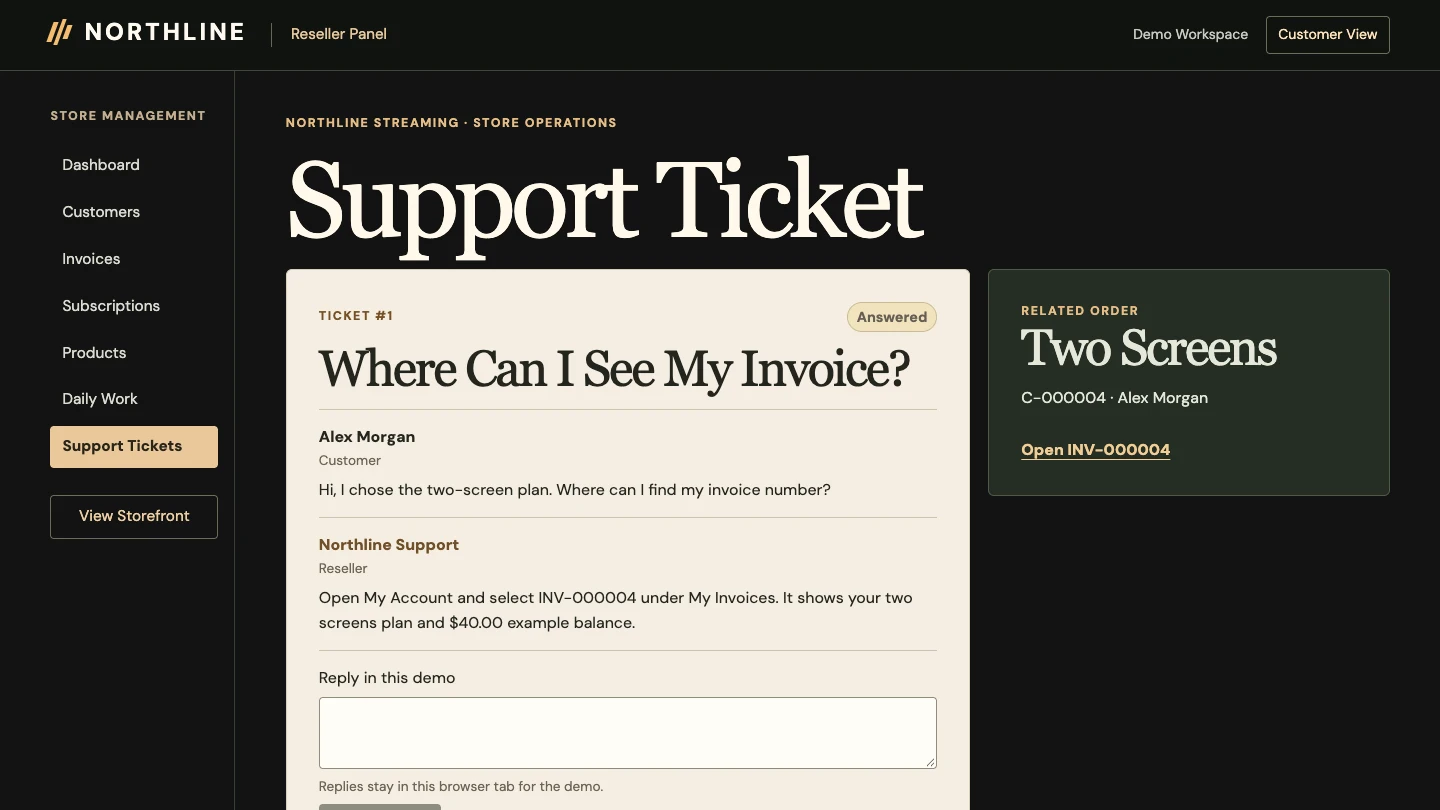
Read the customer’s question, review the order, and reply in a thread they can reopen from their account.
A plan needs a mapped service package and a confirmed payment. See how product mapping, receipt matching, fulfillment, and customer messages fit together.
Platform Comparison
WHMCS is a fit for a hosting business that sells domains, servers, and related services. Ultimate Apps starts with the streaming store, branded customer experience, and weekly reseller operation.
| Buying Decision | Ultimate Apps | WHMCS |
|---|---|---|
| Starting the Store | $500 for branding, email, and initial configuration. Pay in full or start with $100 toward setup. | Self-hosted or fully managed. Installation and configuration services are also available. |
| Ongoing Price | $50/week from launch. Domain, cPanel, and branded email add $180/year, payable monthly or annually. | Self-hosted Plus is $34.95/month for up to 250 active clients. Managed Starter is $9.99/month for up to 25, with usage charges above that. |
| Customer Experience | Your domain, screen-based plans, customer numbers, invoices, service details, and support tickets. | Client area, order forms, billing and ticketing across hosting products. |
Plan the move around your paid customers, open invoices, and renewal dates.
Store Setup & Pricing
Setup is $500. Platform access is $50/week from launch. Your domain, cPanel hosting, and branded email are a separate $180 annual package. Pay $15 a month for 12 months or $180 once a year.
Your setup is paid in full. Weekly platform billing starts when your store launches.
Pay the remaining $400 in 16 weekly installments of $25 alongside your platform fee.
If your store launches on enrollment day, the first weekly payment is also due that day. All prices are in USD.
Choose a setup option and hosting schedule, then send your business name and email. You can include a preferred domain. Ultimate Apps confirms your domain and launch date with you before billing begins.
You set retail prices for the streaming services you’re authorized to sell. Northline’s prices in the demo are examples.
Storefront branding, branded email configuration, and initial store configuration. The required domain and hosting package is a separate annual commitment.
Pay $100 toward setup at enrollment. From launch, pay $75 a week for 16 weeks, including the $50 platform fee and $25 toward setup. Then pay $50 a week. Your hosting schedule is separate.
Yes. Customers sign in on your store to see invoices, check service details when ready, manage contact preferences, and open support tickets.
Use the reseller sign-in on your own storefront. Your customers use the customer sign-in on that same branded domain.
Automatic fulfillment requires a confirmed receipt route and a product mapped to the correct service package. Review both during setup and verify a complete order before launch.
Start with an inventory of active customers, paid-through dates, services, and unpaid invoices. Agree on the records and cutover steps before switching. The Launch Guide explains what to prepare.
Your store stays open through the second calendar day after the due date, Eastern time. After that, new orders and renewals pause. Paid customers keep access for their paid service periods. The store reopens when Ultimate Apps confirms payment of the overdue weekly fees whose grace periods have expired.